The Phomemo Label Maker review centers on the D30, a lightweight Bluetooth printer built for everyday labels on jars, storage boxes, school supplies, and office folders.
Its large range of app design elements makes it flexible for personal organization, while phone-based editing and the need to use a specific app shape the experience.
Phomemo D30 Review Summary
The quick verdict
1,000+ ratings
Read Amazon ReviewsPhomemo D30 Label Maker
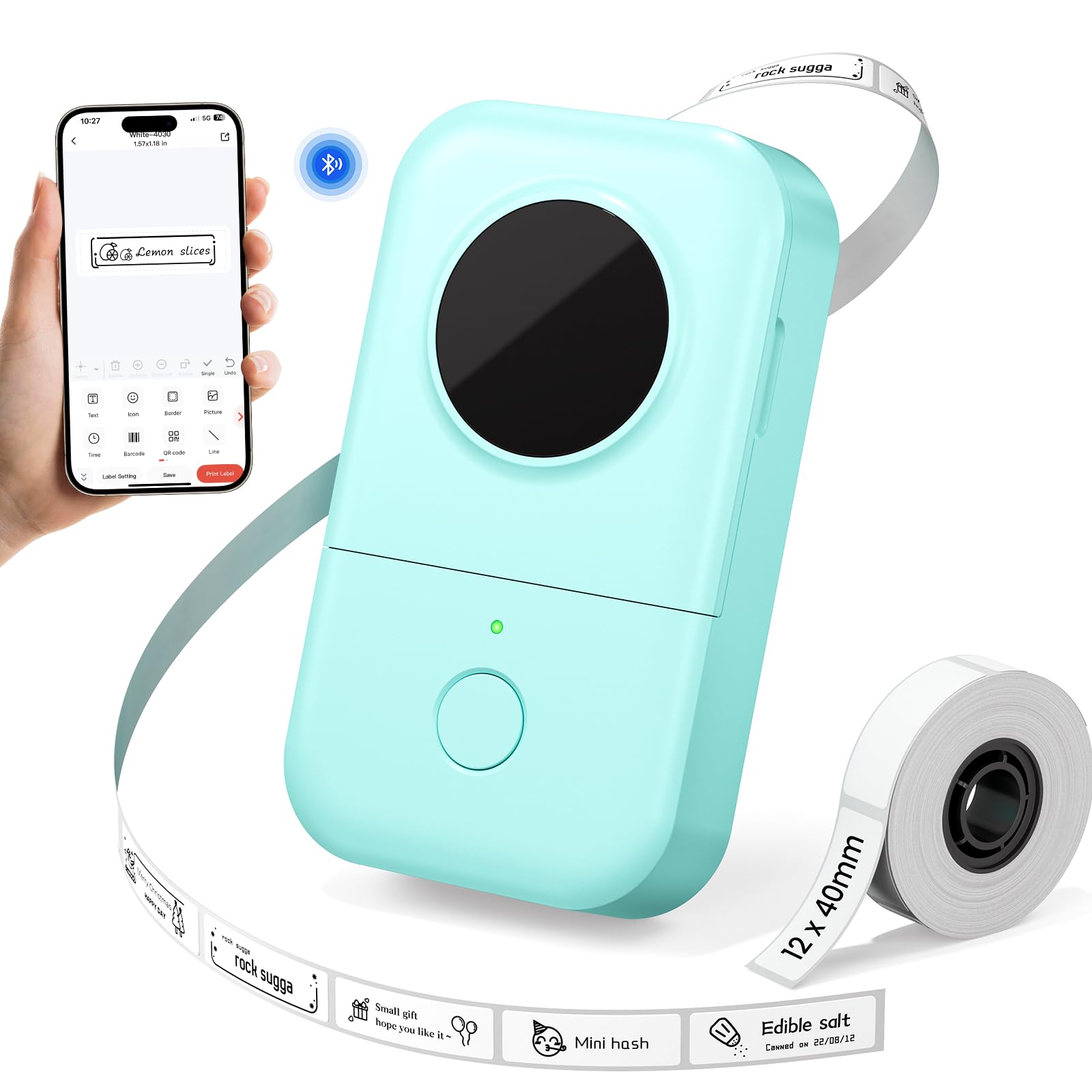
A pocketable, app-based label maker for home organizers, teachers, and students who want customizable labels without ink or toner.
- Bluetooth connection for creating and sending labels from a mobile device.
- Uses the Print Master app, with over 1,000 symbols, 120 fonts, 60 frames, and 60 borders.
- Supports label designs with text, QR codes, barcodes, and images.
- Direct thermal printing at 203 DPI, without ink, toner, or ribbons.

Pros
- A broad set of app design elements makes it easy to customize labels for different uses.
- Ink-free thermal printing avoids the need to keep ink, toner, or ribbons on hand.
Consider before buying
- Label creation depends on using the Print Master app, so buyers should be comfortable designing from a phone.
- The supported tape widths are aimed at compact labels; check that one fits your intended use before buying.
Read the full review summary
The D30 pairs direct thermal printing with a compact, rechargeable design, so it can handle small labeling jobs without ink, toner, or ribbons.
Its Print Master app offers over 1,000 symbols, 120 fonts, 60 frames, and 60 borders, along with options for text, QR codes, barcodes, and images.
That gives users room to make labels for different settings without relying on a single fixed format.
It is best suited to people who want to make occasional or recurring labels from a phone, especially for household containers, classroom supplies, and office paperwork.
The printer supports tape widths of 6, 12, 14, and 15 mm, but its compact label format is intended for everyday identification rather than broad shipping labels.
Buyers should also account for the Print Master app requirement and consider whether the available tape widths match their planned labels.
The buying factors
Phomemo D30 Scorecard
Editorial scores reflect listed features and buyer fit; they are not laboratory measurements or customer ratings.
Everyday organization
The described uses cover common home, school, and office labeling tasks, from jars and food containers to folders and student supplies.
Design flexibility
The app provides over 1,000 symbols, 120 fonts, 60 frames, and 60 borders for varied label layouts.
Portability
At 0.35 pounds, the D30 is light enough to carry in a pocket, according to its listed weight.
Tape-width range
Four supported widths—6, 12, 14, and 15 mm—cover several small-label needs, though they may not suit every format.
Ink-free printing
Direct thermal printing avoids ink, toner, and ribbon supplies, keeping the basic printing setup simple.
App convenience
Bluetooth and phone-based design are convenient for mobile use, but buyers need the Print Master app rather than the Phomemo app.
Power flexibility
A rechargeable 1200mAh battery supports portable use; the description identifies Micro USB charging.
Key Features and Specifications of Phomemo D30
- Bluetooth connection for creating and sending labels from a mobile device.
- Uses the Print Master app, with over 1,000 symbols, 120 fonts, 60 frames, and 60 borders.
- Supports label designs with text, QR codes, barcodes, and images.
- Direct thermal printing at 203 DPI, without ink, toner, or ribbons.
- Compatible with tape widths of 6, 12, 14, and 15 mm.
- Rechargeable 1200mAh battery with a Micro USB charging port.
- Compact design weighs 0.35 pounds and is intended for home, school, and office organization.
Pros and Cons of Phomemo D30
Pros
- A broad set of app design elements makes it easy to customize labels for different uses.
- Ink-free thermal printing avoids the need to keep ink, toner, or ribbons on hand.
- Lightweight, pocketable form is convenient for moving between rooms or work areas.
- Several supported tape widths provide some flexibility for small everyday labels.
Consider before buying
- Label creation depends on using the Print Master app, so buyers should be comfortable designing from a phone.
- The supported tape widths are aimed at compact labels; check that one fits your intended use before buying.
- Charging uses Micro USB, which may be less convenient if your other devices use a different cable.
Who Should Buy Phomemo D30?
Good fit
Consider the D30 if your labeling routine centers on household storage, pantry containers, school belongings, or office folders.
Its small footprint and rechargeable battery suit jobs where you would rather bring a label maker to the item than carry items to a larger workstation.
The design tools are a useful draw if you want labels with more than plain text.
The listed symbols, frames, borders, fonts, QR codes, barcodes, and images give you several ways to make labels that are easier to distinguish across different projects.
Before choosing it, identify the tape width you expect to use and make sure it is among the supported 6, 12, 14, or 15 mm sizes.
Also plan to use Print Master for setup and label design; the supplied directions distinguish it from the Phomemo app.
Who should skip it
Skip this style of printer if your routine calls for labels wider than the listed tape options or a format outside compact organization labels. Confirm the required label dimensions before committing.
Look elsewhere if you specifically want to create labels without using a phone app. The D30’s described workflow uses Bluetooth and Print Master for label design.
How the Phomemo D30 Fits Everyday Labeling
Custom designs from a phone
The D30’s main appeal is the breadth of design elements available through Print Master. A large symbol and font library, plus frames and borders, can help distinguish labels for separate rooms, projects, or users.
QR codes, barcodes, and images add options beyond ordinary text, though the exact layout still needs to fit the small tape format.
A compact thermal setup
Direct thermal printing removes ink, toner, and ribbons from the supply list, while the 203 DPI resolution is intended to produce clear text and symbols.
The 1200mAh rechargeable battery and low listed weight make the unit portable for short jobs around the home or classroom. Charging is through Micro USB, so cable convenience may depend on what you already keep nearby.
Choose the tape width around the task
The four supported widths create practical choices for compact identification: a narrower strip may suit a short name or code, while a wider one gives more room for longer text.
These are design implications, not a guarantee that any particular label layout will fit. Sketch the text and choose the width before stocking up on tape.
Where the D30 makes sense
The stated use cases—jars, storage boxes, food containers, school supplies, folders, and documentation—point to personal organization rather than high-volume shipping.
It should be easiest to justify when a household or classroom has many small items that benefit from consistent labels. For less frequent needs, consider whether setting up a phone app and keeping compatible tape is worthwhile.
Alternatives to Phomemo D30
Desktop Label Printers alternative

28,000+ ratings
Read Amazon ReviewsPhomemo D30 Label Maker with Three Tapes
Choose this set if having several tape colors ready to use matters more than relying on the reviewed D30’s specifically listed range of tape widths.
Both are D30 Bluetooth label makers for compact organization; check the compatible tape format and app details that suit your routine.
- This D30 set lists three included tapes—white, gold, and clear—and supports continuous or fixed-length labels.
- Its app description includes templates and tools such as barcode, QR code, image, and OCR options.
- The reviewed D30 supports four listed tape widths and includes design tools through Print Master, but its supplied product details do not specify included tapes.
Desktop Label Printers alternative

14,000+ ratings
Read Amazon ReviewsNIIMBOT D110 Label Maker
Consider the D110 if the included tape, batch-printing feature, Type-C charging, or its stated label options better fit your workflow.
The D30 may suit you better if its listed Print Master design library and specific tape widths match the labels you plan to make.
- The NIIMBOT D110 uses its NIIMBOT app, supports batch printing, and includes a label tape.
- Its description lists 203 DPI thermal printing, Type-C charging, and compatibility with clear, colorful, cute gift, and round labels.
- The Phomemo D30 is described with Print Master design features and four tape widths, plus a rechargeable battery charged over Micro USB.
Is Phomemo D30 Worth It?
The Phomemo D30 is worth considering for home, school, and office users who want a small Bluetooth label maker with a wide set of app-based design tools.
Its ink-free thermal printing, rechargeable battery, and pocketable weight suit everyday labeling projects.
Buy if the supported tape widths fit your labels and using Print Master from a phone works for you. If your work needs a different label format or you prefer another workflow, compare those requirements carefully before choosing.
Your review at a glance
1,000+ ratings
Read Amazon ReviewsPhomemo D30 Label Maker
A pocketable, app-based label maker for home organizers, teachers, and students who want customizable labels without ink or toner.
- Bluetooth connection for creating and sending labels from a mobile device.
- Uses the Print Master app, with over 1,000 symbols, 120 fonts, 60 frames, and 60 borders.
- Supports label designs with text, QR codes, barcodes, and images.
- Direct thermal printing at 203 DPI, without ink, toner, or ribbons.