The Phomemo M250 Label Maker Machine review centers on a portable thermal printer designed for labels wider than those made by many compact handheld models.
Its broad app tools and phone-and-computer compatibility suit varied home and small-business tasks, while its explicit limit on 4 × 6 shipping labels matters for anyone preparing parcels.
Phomemo M250 Review Summary
The quick verdict
700+ ratings
Read Amazon ReviewsPhomemo M250
A portable, app-driven label printer for home organizers and small businesses that need wider labels and flexible phone or computer workflows.
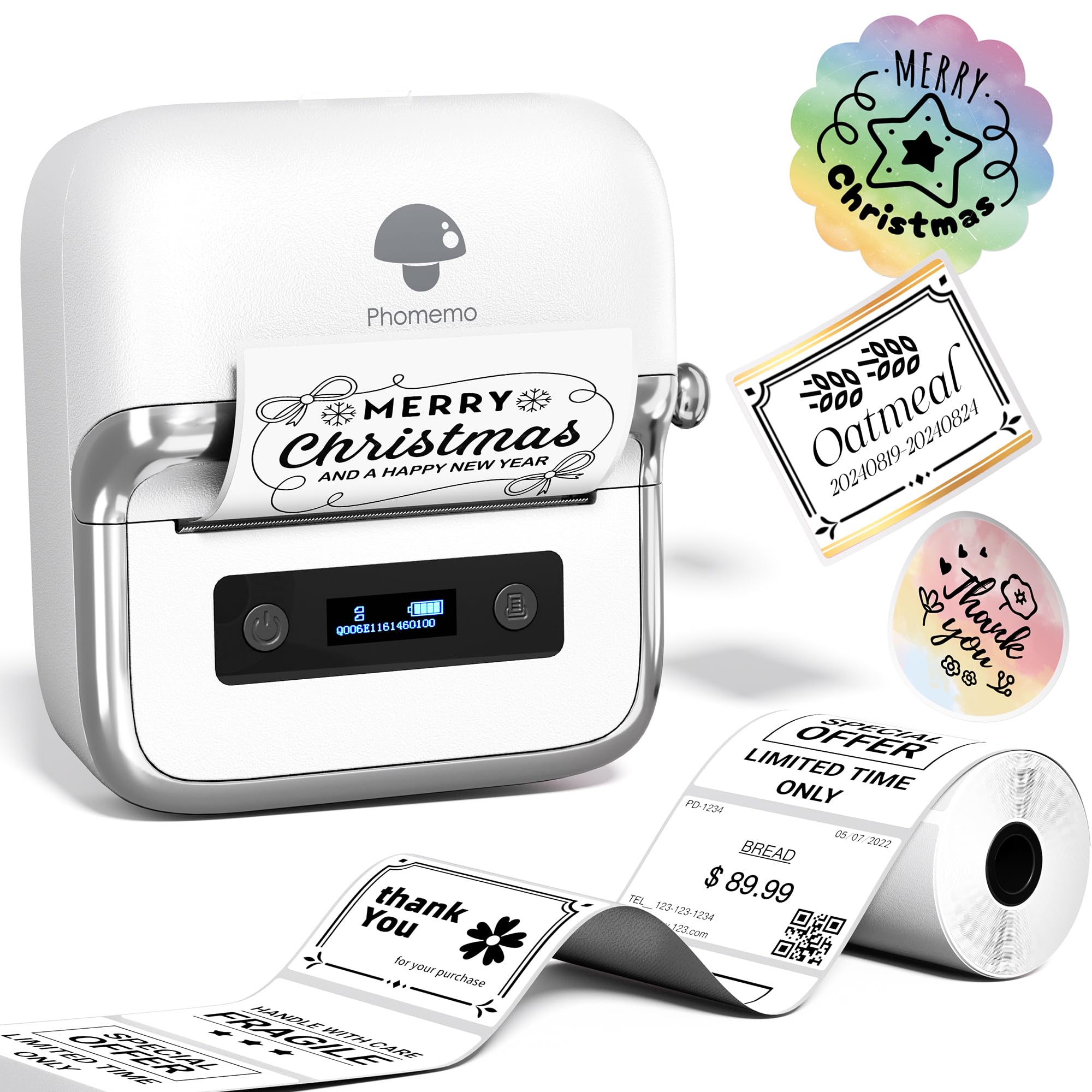
- Prints labels from 0.78 to 3.14 inches wide, with examples including addresses, barcodes, QR codes, cables, names, jars and food labels.
- Uses a 2200mAh rechargeable battery, with printing of up to 5,000 labels on one charge and a listed speed of 30–50mm per second.
- The Print Master app supports text, QR codes, OCR, images, voice recognition and batch printing, plus more than 1,500 symbols, 200 templates, 110 fonts and 20 languages.
- Connects to Android, iOS and iPad devices over Bluetooth through the Print Master app.

Pros
- Wider label capacity supports more use cases than small-format handheld labelers.
- App tools include batch printing and several ways to create or transfer label content.
Consider before buying
- The 4 × 6 format is unsupported, so standard shipping labels require another printer.
- Computer printing requires a USB connection and separate driver and Labelife software setup.
Read the full review summary
The M250 combines a 0.78–3.14-inch printing width with Bluetooth phone or tablet printing and USB computer connections.
Its Print Master app supports text, QR codes, barcodes, images, OCR, voice recognition and batch printing, giving users several ways to prepare labels without relying on a single basic text workflow.
Its rechargeable 2200mAh battery is described as printing up to 5,000 labels per charge, and the printer weighs 390g.
That mix makes it worth considering for people who move between rooms or work away from a desk, as well as small businesses producing product, address or barcode labels.
The M250 does not support 4 × 6 labels, so it is not the right choice for standard shipping-label workflows.
The buying factors
Phomemo M250 Scorecard
Editorial scores reflect listed features and buyer fit; they are not laboratory measurements or customer ratings.
Label-width versatility
The 0.78–3.14-inch width range accommodates a wider variety of label tasks than narrow tape-focused machines.
App design tools
The app offers templates, fonts, symbols and input options for both routine text and more customized labels.
Device compatibility
Bluetooth works with Android, iOS and iPad, while USB computer support covers macOS and Windows 7 or later.
Portability
At 390g, it is easy to carry, and the battery design supports printing away from an outlet.
Battery capacity
The stated capacity is up to 5,000 labels per charge, though actual output depends on use.
Shipping-label suitability
It handles address labels but explicitly does not support the common 4 × 6 shipping-label format.
Key Features and Specifications of Phomemo M250
- Prints labels from 0.78 to 3.14 inches wide, with examples including addresses, barcodes, QR codes, cables, names, jars and food labels.
- Uses a 2200mAh rechargeable battery, with printing of up to 5,000 labels on one charge and a listed speed of 30–50mm per second.
- The Print Master app supports text, QR codes, OCR, images, voice recognition and batch printing, plus more than 1,500 symbols, 200 templates, 110 fonts and 20 languages.
- Connects to Android, iOS and iPad devices over Bluetooth through the Print Master app.
- Supports computer printing on macOS and Windows 7 or later through USB, with a driver and Labelife software.
- Weighs 390g and includes an integrated paper-loading structure. Automatic sleep mode activates after five minutes of inactivity.
- Does not support 4 × 6 labels, making it unsuitable for that standard parcel-label size.
Pros and Cons of Phomemo M250
Pros
- Wider label capacity supports more use cases than small-format handheld labelers.
- App tools include batch printing and several ways to create or transfer label content.
- Works with phones, tablets and compatible computers, giving users a choice of device.
- A rechargeable battery and 390g body make it practical to carry between work areas.
Consider before buying
- The 4 × 6 format is unsupported, so standard shipping labels require another printer.
- Computer printing requires a USB connection and separate driver and Labelife software setup.
- The broad app feature set may be more than needed for buyers who only print occasional, simple organization labels.
Who Should Buy Phomemo M250?
Good fit
Consider the M250 if you regularly print labels for products, addresses, storage, cables or food containers and want one device that can serve both household and small-business tasks.
Its 0.78–3.14-inch width gives you room for labels larger than narrow handheld tape, while QR and barcode support can help with inventory or product identification.
It is also a good fit if you want to design on a phone or tablet but sometimes print from a computer.
Before buying, check the label sizes you use and whether your preferred workflow supports Bluetooth through Print Master or a wired USB connection through Labelife.
For mobile work, the rechargeable battery and compact weight are useful design choices.
Treat the up-to-5,000-label figure as a maximum rather than a guaranteed yield for every design, since label content and printing patterns can affect how many labels a charge produces.
Who should skip it
Skip the M250 if your main job is printing 4 × 6 parcel labels. Its supported width stops at 3.14 inches, so those shipping labels call for a printer designed for the larger format.
If you only need occasional small labels for jars or folders, compare the size and app workflow against your actual routine; the M250's wider format and larger set of design tools may be unnecessary for that simpler use.
How the Phomemo M250 Fits Different Labeling Jobs
A useful middle ground in label size
The 0.78–3.14-inch width range gives the M250 flexibility for address, product, barcode and organization labels.
Buyers can consider the size of the information they need to print: a short name may fit a compact label, while a barcode or a longer address may call for more width.
The key boundary is the 3.14-inch maximum, which rules out 4 × 6 parcel labels.
App flexibility for repeat work
Print Master combines templates and reusable design elements with tools such as OCR, voice recognition and batch printing. Those options can reduce repetitive setup when producing multiple labels or adapting the same design for different products.
For a simple one-off label, some of the app's breadth may be unnecessary; for recurring inventory or organization tasks, it gives more ways to build a consistent layout.
Portable use across devices
The printer's 390g weight and rechargeable battery make it easier to bring to a shelf, packing table or other work area than a device intended to stay permanently at a desk.
Phone and tablet printing uses Bluetooth, while computer printing relies on USB and the specified software. Buyers should decide which device they expect to use most and check that the connection method suits the space and setup.
Battery claims in everyday context
The 2200mAh battery is described as supporting up to 5,000 labels per charge, with printing speeds of 30–50mm per second.
Those figures suggest a design aimed at batches as well as occasional labeling, but they do not promise the same output for every project. The five-minute automatic sleep mode is intended to conserve power during idle periods.
Alternatives to Phomemo M250
Battery-focused alternative

700+ ratings
Read Amazon ReviewsPhomemo M220
Compare the M220 if you want a similar width and connection setup but prefer a battery claim expressed in rolls and want the listed Chrome OS support.
The M250's description gives a maximum label count and supports Windows 7 or later and macOS; choose based on the device compatibility and battery measure that matter to your work.
- The M220 supports the same 0.78–3.14-inch width range, Bluetooth connections to phones and tablets, and USB computer connections for Windows, macOS and Chrome OS.
- Its description specifies up to 36 rolls of continuous printing from a 2200mAh battery and includes Print Master and Labelife workflows.
- The M250 supports label widths from 0.78 to 3.14 inches and works with phones, tablets and computers; it does not support 4 × 6 labels.
Desktop Label Printers alternative
4,000+ ratings
Read Amazon ReviewsPhomemo 241BT
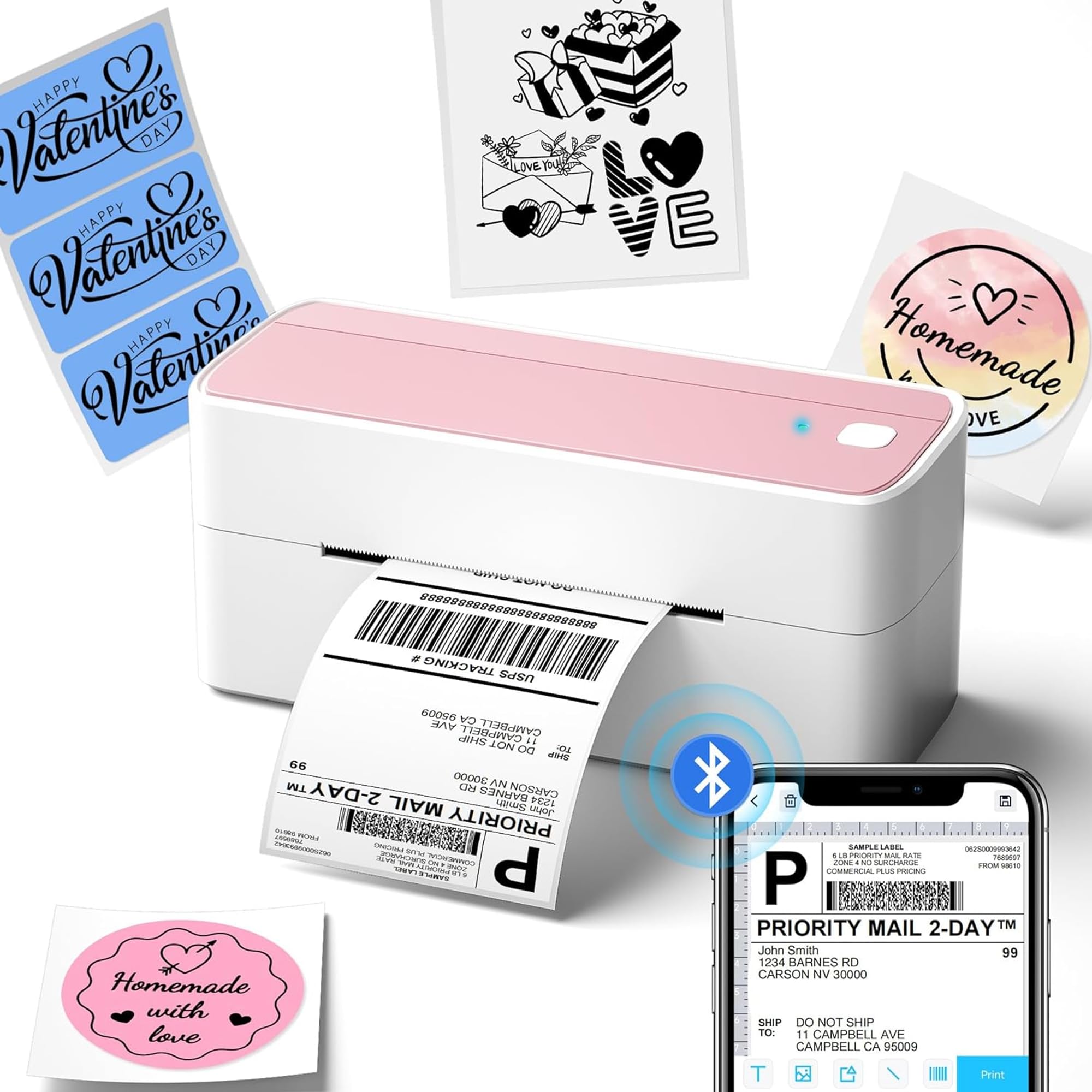
Choose the 241BT if your regular work depends on 4 × 6 parcel labels or shipping-platform workflows.
The M250 is the better fit when you need a portable label maker for narrower organization, address, barcode or product labels and want its broader app-design tools.
- The 241BT is a 4 × 6 shipping-label printer that supports label widths from 1 to 4.6 inches, with Bluetooth and USB printing.
- Its description lists compatibility with Windows, Mac, Chrome OS and Linux, and shipping services and platforms including USPS, UPS, FedEx, Amazon, Shopify and Etsy.
- The M250 prints labels up to 3.14 inches wide and is portable, but it does not support 4 × 6 shipping labels.
Is Phomemo M250 Worth It?
The Phomemo M250 is worth considering for home organizers and small businesses that need flexible label widths, app-based design tools and printing from phones, tablets or compatible computers.
Its rechargeable design and portable weight add convenience for work across different locations.
Check your label format before choosing it: the M250 stops at 3.14 inches and cannot print 4 × 6 shipping labels.
If your work centers on smaller product, address or organization labels, it offers a versatile set of tools; if parcel labels are the priority, select a printer built for that size.
Your review at a glance
700+ ratings
Read Amazon ReviewsPhomemo M250
A portable, app-driven label printer for home organizers and small businesses that need wider labels and flexible phone or computer workflows.
- Prints labels from 0.78 to 3.14 inches wide, with examples including addresses, barcodes, QR codes, cables, names, jars and food labels.
- Uses a 2200mAh rechargeable battery, with printing of up to 5,000 labels on one charge and a listed speed of 30–50mm per second.
- The Print Master app supports text, QR codes, OCR, images, voice recognition and batch printing, plus more than 1,500 symbols, 200 templates, 110 fonts and 20 languages.
- Connects to Android, iOS and iPad devices over Bluetooth through the Print Master app.